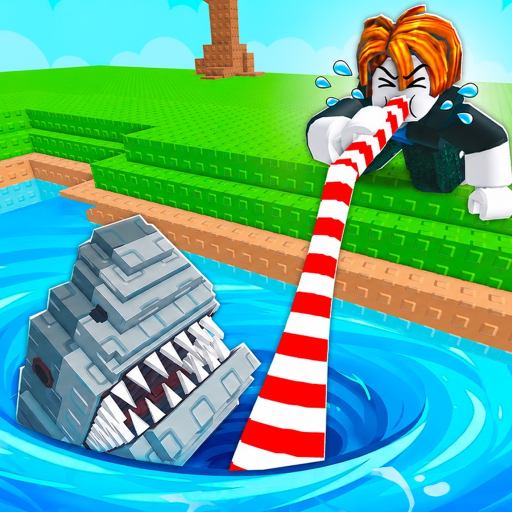
Lake Sipping Roblox How to Play: Sipping, Fish and Chests
Use this lake sipping roblox how to play guide to charge and release the straw, tap during catches, drain lakes, reach chests, and troubleshoot the core loop.
This Lake Sipping Roblox how to play guide is built around two connected inputs: charge and release the straw to remove water, then tap repeatedly when a fish-catching prompt appears. Continue the loop until the lake is drained, descend to the exposed bottom, and open the chest with the current interaction prompt. Selling catches and upgrading equipment prepares the next lake.
Evidence note: The core sequence is well supported, but exact keyboard, controller, and mobile button mappings were not verified in the evidence packet. Follow the live on-screen prompts for your device rather than copying a platform-specific key from an old video.
This walkthrough shows the complete rhythm in motion. Compare the sequence, not every displayed cost or button label, because interface details may change.
Equip the straw and work from above the water
Start by equipping an available straw. Approach the lake from a position where the game accepts the sip action; archived guides describe standing above the water. Hold the displayed sip control to charge, then release it to absorb water. Releasing too early may produce a smaller action, while holding without releasing never completes the input, so watch the live feedback.
| Phase | Player action | Expected result | If it fails |
|---|---|---|---|
| Prepare | Equip a straw and stand at a valid edge | The sip prompt becomes usable | Move along the edge and confirm the tool is equipped |
| Charge | Hold the current sip input | The straw charge builds | Check focus, prompt state, and whether another menu is open |
| Release | Let go after charging | Water is drawn and a catch may trigger | Try again from a valid position using the shown prompt |
| Catch | Tap repeatedly during the fish interaction | The fish can be secured | React earlier and use the device prompt, not an assumed key |
| Chest | Reach the bottom after a full drain | The lake chest becomes accessible | Confirm the lake is fully drained and use the current interact prompt |
Do not enter a rapid-tapping rhythm before a fish appears. The charge phase and catch phase are distinct. Staying calm during the first phase makes it easier to react when the second begins.
Catch the fish before the interaction ends
When a fish enters the straw, the action changes. Tap repeatedly using the current mouse, touch, keyboard, or controller prompt. Community walkthroughs report that rarer catches can demand faster tapping, but this page does not assign exact speed thresholds. Focus on reacting immediately and maintaining clean inputs until the game confirms the catch.
If repeated taps do nothing, check whether a menu has focus, whether the straw is still equipped, and whether the prompt expects a different input on the current device. On mobile, tap the visible control rather than assuming the entire screen is active. On controller, use the button shown by Roblox. The official game profile lists cross-platform controller support, while the exact mapping remains an interface detail.
After a catch, check capacity. If the bucket is close to full, selling now prevents a later interruption. If there is room and the lake still contains water, return directly to charge and release.
Drain the lake and reach the chest
Each successful sip contributes to draining the current lake. Continue until the water is gone. The bottom chest is inaccessible during the normal water state and becomes reachable after the drain. Archived walkthroughs suggest players should participate in the sip to qualify for the reward, so contribute rather than waiting only for someone else to finish.
When the bottom is exposed, descend carefully and use the visible interaction prompt on the chest. Do not rely on a memorized key. Confirm the reward in the live panel, then return to the surface, sell if needed, and choose the next progression action.
The important order is:
- equip the straw;
- stand where sipping is accepted;
- hold to charge;
- release to draw water;
- tap repeatedly when a fish appears;
- repeat until the lake drains;
- reach and open the exposed chest;
- sell catches and upgrade the current bottleneck.
Skipping the catch input loses the fish opportunity. Leaving before the lake finishes can lose the chest checkpoint. Ignoring capacity can force an extra trip at the worst moment.
Troubleshoot the common failure points
- No sip action appears: equip the straw, close blocking menus, and move to another point above the water. The current tool and position both matter.
- The charge never completes: release the control after the visible charge. Holding is preparation; letting go triggers the water draw.
- Fish keep escaping: begin tapping as soon as the catch interaction appears. Use the exact prompt for the current device and reduce other input distractions.
- The chest is still unreachable: continue contributing until the water state changes and the bottom route opens.
- The inventory fills too quickly: sell catches, then compare the live bucket options.
- The straw feels too weak: compare current straw options and quest rewards before spending.
Turn the controls into an efficient session
Once the inputs feel reliable, group actions into short loops. Accept a nearby quest, clear enough inventory space, choose a lake, and stay until either capacity or the lake state creates a reason to move. Sell, turn in objectives, make one upgrade decision, and repeat.
Baits and boosts can support a prepared session, but neither replaces the control sequence. Use a consumable only after you know where you will sip and how long you can stay. The separate boost guide records verified items and marks stacking as unknown.
Equipment changes should remove a visible delay. Upgrade straw strength when lake draining dominates the session, or bucket capacity when catching stops because storage fills. This keeps the basic controls tied to progression rather than treating every new item as automatically necessary.
Use the official Lake Sipping Roblox experience as the final reference for the input prompt shown on the current device.
FAQ
How do you fish on Roblox?
Fishing controls vary by experience. In Lake Sipping, equip a straw, hold the displayed sip control, release to draw water, and tap repeatedly when the fish-catching interaction appears.
How to catch fish on Roblox?
For this game, react to the catch phase after releasing a charged sip. Use the current prompt for mouse, touch, keyboard, or controller and keep tapping until the game confirms the result.
How to get chest in Roblox?
In Lake Sipping, contribute to draining the lake completely. Once the water is gone, descend to the exposed bottom and open the chest with the live interaction prompt.
How to play the fishing game on Roblox?
Every Roblox fishing game differs. Here the verified loop is sip, catch, sell, upgrade, complete quests, drain the lake, open its chest, and move into new areas when the live gate is satisfied.